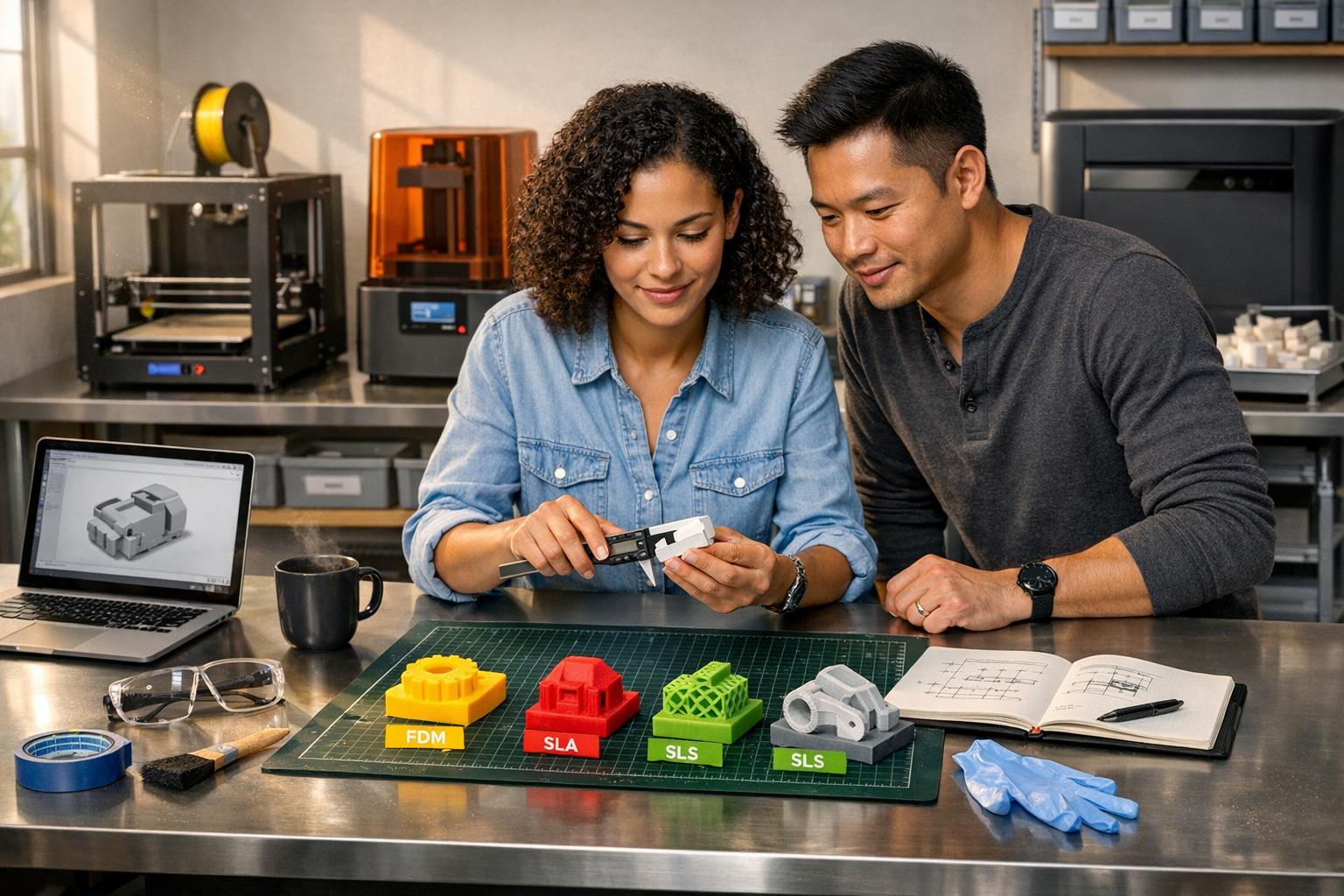
3D printing is a powerful tool for hardware startups, offering faster prototyping, lower costs, and improved investor confidence. By enabling rapid iterations and eliminating the need for costly molds or tooling, it can reduce prototyping costs by 60% and lead times by over 90%. Startups can test and refine designs quickly, catching up to 90% of flaws before production.
Key insights include:
- Speed: Go from CAD to prototype in hours or days.
- Cost savings: Prototypes cost as little as $3–$50 for FDM, $15–$80 for SLA, and $30–$80 for SLS.
- Investor impact: Tangible prototypes increase confidence by 40%.
- Material options: From affordable PLA to durable PA12 nylon, material choice impacts performance and cost.
- Technology breakdown: FDM for affordability, SLA for precision, SLS for strength.
While 3D printing is ideal for early-stage prototyping and small production runs, challenges like material limitations and post-processing need consideration. Choosing the right technology and following best practices ensures efficient prototyping and smooth transition to production.
3D Printing Basics for Startups
3D printing is reshaping how hardware startups approach prototyping, offering faster iterations and cutting costs. By understanding how it works, you can make the most of this technology right from the start.
How 3D Printing Works
Also known as additive manufacturing (AM), 3D printing creates objects layer by layer from a digital CAD file (like STL or 3MF). Unlike traditional methods such as CNC machining, which removes material, or injection molding, which requires costly molds, additive manufacturing only adds material where needed. This makes it possible to produce complex designs – like internal channels or lattice structures – that would be difficult or expensive using conventional techniques.
Here’s how it works: the printer slices the CAD model into thin layers, then deposits or cures material layer by layer until the object takes shape. For hardware startups, this process eliminates the need for expensive tooling, which can cost anywhere from $5,000 to $50,000 or more per design. The result? Lower costs and faster iterations.
Benefits for Hardware Startups
One of the biggest advantages is speed. You can go from a CAD model to a physical prototype in just hours or days, compared to weeks with traditional methods. This allows you to test ideas and make adjustments quickly, following the "fail fast at low cost" philosophy. This approach minimizes financial risk by ensuring you’re not locked into expensive tooling before your design is validated.
There’s also the matter of cost efficiency. Here’s a quick breakdown of typical costs:
- FDM prototypes: $3 to $50 per part
- SLA prototypes: $15 to $80 per part
- SLS/MJF prototypes: $30 to $80 per part
For startups on a tight budget, outsourcing to service bureaus is often a better option than investing $5,000+ in high-end equipment. Service bureaus can produce high-quality, industrial-grade parts for $50 to $500 per project. Additionally, 3D printing remains cost-effective for small production runs, as traditional injection molding typically becomes cheaper only when producing between 500 and 5,000 parts.
Common Challenges and Limitations
While 3D printing offers many advantages, it does have its challenges. Material limitations are a frequent issue – some resins are too brittle for functional testing, and using materials that don’t match the properties of your final product can lead to misleading results. Another challenge is anisotropy, where the strength of FDM parts can be 20% to 60% weaker along the Z-axis compared to the XY plane. Without optimizing the build orientation, parts may fail under certain loads.
Post-processing is another factor to consider. Tasks like removing supports, washing, curing, and finishing surfaces add time and labor. Additionally, there’s often a Design for Manufacturing (DFM) gap – while 3D printing enables intricate geometries, these designs may not translate easily to mass production methods like injection molding.
"The primary purpose of prototyping is to validate the idea or design being proposed for the current product development phase, before moving to the next phase of the development."
This highlights the importance of involving manufacturers early in the process. Doing so ensures your 3D-printed designs can transition smoothly to scalable production without requiring costly redesigns. Up next, we’ll dive into how to choose the right 3D printing technology to optimize your prototyping efforts.
sbb-itb-32a2de3
Choosing the Right 3D Printing Technology

3D Printing Technologies Comparison: FDM vs SLA vs SLS for Hardware Startups
Picking the right 3D printing technology is a key decision that can impact your prototyping timeline and budget. To streamline your design validation process and supplier communication, consider leveraging AI tools – subscribe to our free AI Acceleration Newsletter for weekly insights. If you’re a startup looking to integrate smart automation into your prototyping and market strategies, M Studio / M Accelerator could be an ideal partner. The three main 3D printing technologies – FDM, SLA, and SLS – each cater to different needs. Knowing which one to use can save you time and money. Let’s dive into these technologies to see how they compare.
"The wrong 3D printing technology can look like a minor technical mistake, but it can snowball into delayed launches, wasted funds, poor product-market fit, and lost investor confidence." – Marc Sinclair, Project Manager, Mako Design
Fused Deposition Modeling (FDM)
FDM is the most affordable and accessible option, making it great for early-stage prototypes and large parts where cost is more important than precision. This method works by melting plastic filament and depositing it layer by layer. Costs range from $3 to $50 per part, and it supports materials like PLA, ABS, PETG, and even high-performance plastics like PEEK for extreme temperature needs.
FDM printers can handle build volumes up to 914 × 610 × 914 mm, which is perfect for large enclosures or housings. However, its limitations include visible layer lines (Ra 10–25 µm) and weaker strength along the Z-axis (20% to 60% weaker). With tolerances of ±0.5 mm, this technology is ideal for quick, low-cost iterations on "looks-like" models but not for precision parts like snap-fits.
Stereolithography (SLA)
SLA stands out for its high precision and smooth surface finishes, making it the go-to option for presentation prototypes and fit testing. It uses a laser to cure liquid resin layer by layer, achieving tolerances as tight as ±0.05 mm and layer heights as fine as 25 µm. The result? A nearly injection-mold-quality finish (Ra 1–4 µm) with minimal visible layer lines.
Parts typically cost $15 to $80 each, but you’ll need to account for post-processing steps like washing in IPA and UV curing. SLA is ideal when you need to impress stakeholders with a high-fidelity model or test parts that require precise snap-fits. However, brittle resins may not provide accurate functional test results.
"A prototype that looks right but functions wrong can be misleading… don’t prototype in brittle resin if it will eventually be durable plastic." – Marc Sinclair, Project Manager, TriMech Design
For medical device startups, SLA also offers biocompatible resins that meet regulatory standards.
Selective Laser Sintering (SLS)
SLS is the top choice for functional prototypes requiring real mechanical strength. This technology uses a laser to fuse nylon powder, creating parts nearly as strong as injection-molded components. For example, PA12 nylon parts boast a tensile strength of about 48 MPa, compared to 50 MPa for injection-molded PA12.
SLS is self-supporting, as the unsintered powder acts as a natural support structure. This allows for the creation of complex internal channels and interlocking assemblies without extra supports. Costs range from $30 to $80 per part, with tolerances of ±0.25 mm and a matte, grainy surface finish. SLS parts are near-isotropic, with only a 5% to 15% reduction in Z-axis strength compared to FDM’s 20% to 60%. This makes SLS ideal for living hinges, snap-fits, and load-bearing parts that need to perform like production components. Post-processing, such as bead blasting, adds time but produces durable parts ready for rigorous testing.
When your prototype needs to handle real mechanical stress or mirror injection-molded nylon parts, SLS is the way to go.
Next, we’ll cover design best practices to help you refine your 3D printed prototypes and boost their performance.
Design Best Practices for 3D Printing
Creating optimized CAD models can drastically cut down on rework and lower prototyping costs. The secret lies in designing for additive manufacturing – aligning your approach with the layer-by-layer nature of 3D printing rather than trying to force traditional designs into this process.
Want to explore AI-driven strategies to speed up your product development? Sign up for our free AI Acceleration Newsletter to get weekly tips on streamlining hardware innovation.
Optimizing CAD Models
The layer-by-layer process of 3D printing introduces anisotropy, meaning parts are weaker along the build (Z) axis. For FDM parts, this axis can be 20% to 60% weaker compared to the XY plane. To maximize strength, orient critical load paths horizontally wherever possible.
Keep the 45-degree rule in mind: overhangs steeper than 45° require support structures in FDM and SLA printing. These supports increase material use, print time, and post-processing effort. However, powder-based methods like SLS and MJF are self-supporting, allowing for more intricate designs without the need for supports.
Wall thickness is another critical factor. To avoid issues like warping or incomplete fusion, stick to these minimums:
- 1.2 mm for FDM
- 0.8 mm for SLS/MJF
- 0.6 mm for SLA
For powder-based methods, include escape holes (at least 4 mm in diameter) to let trapped powder out of hollow sections. If you’re designing press-fit components, add about +0.1 mm to the nominal hole diameter to accommodate printing tolerances.
Balancing Detail and Cost
Once your CAD model is optimized, it’s time to strike a balance between detail and cost. Start by defining the purpose of each prototype – whether it’s for testing form, function, or aesthetics. This helps you avoid overcomplicating the design or overspending. For example:
- A basic FDM prototype in PLA might cost $3 to $50.
- A high-detail SLA model could range from $15 to $80.
"The prototype is almost never the goal, but merely the waypoint, meant to guide you to the greater end-result of production success." – Tim Uys, Lead Designer, TriMech Design
Reduce post-processing time by designing with minimal supports. Use print-in-place features and self-locating components wherever possible. For instance, snap-fits and self-aligning parts can replace screws or adhesives, simplifying both prototyping and future assembly. Leading studios like M Studio / M Accelerator demonstrate how small design tweaks can streamline scalable prototyping workflows.
Iterative Design and Prototyping
The best products are born from quick, imperfect iterations that evolve over time. Hardware startups often follow three main prototyping stages:
- Rough prototypes: Use low-cost FDM to check dimensions and ergonomics.
- Mechanical prototypes: Test functionality with sub-assemblies.
- Pre-production prototypes: Refine aesthetics and manufacturing details.
Consider micro-prototyping as an efficient way to test risky design elements. Instead of printing a full assembly, focus on individual parts – like a hinge, snap-fit, or mounting bracket. This method can catch 90% of design flaws before committing to expensive tooling, keeping iteration cycles fast and affordable.
For functional testing, use materials that closely mimic your final production material. For instance, if you’re planning to use injection-molded nylon, test with PA12 nylon via SLS to get accurate performance data.
These strategies not only reduce errors but also enable rapid, cost-effective iterations – crucial for scaling hardware development. Once your prototypes are validated, you can move on to selecting materials that meet your performance needs.
Materials and Their Impact on Prototyping
When it comes to prototyping, the materials you select play a huge role in determining the success of your design validation and the cost of iterations. In fact, the accuracy of design validation can depend on your material choice by as much as 60%. Picking the wrong material early on could lead to expensive redesigns later. Want to stay ahead with smarter prototyping strategies? Sign up for our free AI Acceleration Newsletter for weekly tips tailored to hardware startups.
For early-stage concept models, PLA is a popular choice, costing around $20 to $50 per kg. It’s easy to print, biodegradable, and great for checking dimensions and ergonomics. However, PLA’s brittleness and low heat resistance (~122°F) make it unsuitable for functional testing. If you need a material that can handle more stress and heat, ABS ($30 to $60 per kg) is a better option. For added chemical resistance and toughness, PETG is another strong contender.
If your project involves production-bound nylon parts, PA12 nylon powder (used in SLS/MJF processes) is a reliable choice at $50 to $70 per kg. It produces near-isotropic parts with tensile strengths of about 48 MPa, closely matching the 50 MPa of molded PA12. This ensures accurate testing and reduces the risk of false failures. For flexible components like seals or gaskets, TPU offers rubber-like properties but requires careful printer calibration. Below, let’s dive into some common materials and how their properties influence prototyping results.
Common 3D Printing Materials
Sometimes, basic materials aren’t enough for specific testing needs. That’s where specialized options come in. High-performance FDM materials like PEEK and PEI (Ultem) are ideal for extreme heat applications over 392°F, though they come with a hefty price tag of $80 to $150 per kg for composite blends.
For detailed prototypes, SLA resins are a solid choice. They deliver exceptional precision with tolerances of ±0.05 mm, making them perfect for visual models, intricate assemblies, and even jewelry. Standard resins cost $40 to $80 per liter, but they are brittle and not suitable for parts requiring flexibility. Tough resins mimic ABS-like durability, while flexible resins are great for ergonomic tests. For metal parts, DMLS processes use materials like titanium, stainless steel, or aluminum. Costs for these parts can range from $200 to $2,000+ per piece, depending on complexity and volume.
Material Selection Table
| Material | Typical Uses | Strengths | Limitations |
|---|---|---|---|
| PLA | Concept models, visual drafts | Easy to print, affordable, biodegradable | Brittle, low heat resistance (~122°F) |
| ABS | Functional parts, enclosures | Durable, impact-resistant, heat-resistant | Warping issues, requires heated bed, odor |
| PETG | Mechanical parts, containers | Tough, chemical-resistant, food-safe | Requires fine-tuning, stringing issues |
| Resin | High-detail models, jewelry | Precise (±0.05 mm), smooth finish | Brittle (standard), messy post-processing |
| Nylon (PA12) | Gears, snap-fits, living hinges | High strength, flexible, durable | Absorbs moisture, requires dry storage |
| TPU | Seals, gaskets, wearables | Flexible, rubber-like, high elongation | Difficult to print on some extruders |
Each material has its strengths and limitations, so aligning your choice with your prototype’s purpose is crucial. Whether you’re working on concept models or functional parts, understanding these materials can save you time, money, and effort.
3D Printing vs Traditional Prototyping Methods
Choosing the right prototyping method is crucial for hardware startups aiming to save time and money while iterating quickly. Whether you’re in the early stages of development or preparing for production, understanding the strengths of 3D printing, CNC machining, and injection molding can make all the difference. To stay ahead, consider joining our free AI Acceleration Newsletter for insights on how AI can enhance rapid prototyping.
While 3D printing has become a favorite for early-stage prototyping, traditional methods still have their place. Techniques like CNC machining and injection molding are essential in certain scenarios, and knowing when to use each can help you avoid unnecessary delays and costs.
Why 3D Printing Stands Out
The main advantage of 3D printing is its speed and low upfront cost. With a CAD file, you can produce a part in 1–5 days, often at a cost as low as $3 to $50 for a basic FDM prototype. This makes it perfect for testing design variations without breaking the bank. On the other hand, CNC machining requires more setup time, including hours spent on CAM programming, and delivery can take days to weeks. Injection molding is even slower, with tooling alone taking months to prepare.
Here’s a quick comparison to illustrate the strengths and limitations of each method:
| Prototyping Method | Speed | Cost | Best For |
|---|---|---|---|
| 3D Printing | 1–5 days | $3–$2,000+ per part | Custom designs, fast iterations (1–500 units) |
| CNC Machining | Days to weeks | High (material + labor) | Tight tolerances (±0.025 mm), metal parts (1–50 units) |
| Injection Molding | Months (tooling setup) | Very high upfront | Mass production of identical parts (5,000+ units) |
One key takeaway: 3D printing is ideal for lower production volumes. The cost of injection molding only becomes competitive when producing between 500 and 5,000 parts or more. For startups running Kickstarter campaigns or planning limited production, 3D printing is often the most cost-effective solution.
When Should You Use 3D Printing?
3D printing is your go-to method when you need complex shapes that traditional methods struggle to create. Features like internal channels, lattice structures, or topology-optimized designs are easy to print but can be prohibitively expensive – or outright impossible – with CNC machining or injection molding. For instance, CNC machining is limited by tool access, while injection molding requires draft angles to ensure the mold releases properly.
It’s also the best choice for Proof-of-Concept (PoC) models and early-stage prototypes where speed matters more than final material properties. If you’re testing multiple designs in rapid succession, 3D printing can shave weeks off your timeline compared to CNC machining or months compared to injection molding.
That said, there are times when switching methods makes sense. If your design requires tighter tolerances (better than ±0.05 mm) or a polished surface finish, CNC machining might be better for specific iterations. Many startups adopt a hybrid strategy, using 3D printing for quick iterations and CNC machining for final prototypes before committing to injection molding for mass production.
For startups integrating AI into their prototyping process, M Studio / M Accelerator offers hands-on solutions to speed up innovation. With the right tools and strategies, you can seamlessly combine the strengths of these methods to bring your product to market faster.
Avoiding Common Prototyping Mistakes
Even seasoned hardware teams can stumble when prototyping with 3D printing. Avoiding these missteps is crucial to keeping the process efficient. One of the most critical errors is choosing the wrong technology. For example, using SLA for a snap-fit enclosure that requires durability is a recipe for failure, as the brittle resin will likely crack under stress. Want to refine your approach? Join our free AI Acceleration Newsletter for weekly tips and insights.
Another common issue is ignoring anisotropy. FDM parts, for instance, are 20% to 60% weaker in the Z-axis (between layers) compared to the XY plane. Similarly, SLS and MJF parts have a 5% to 15% reduction in Z-axis strength. Misorienting a part might seem fine during initial testing but can lead to failures under real-world conditions. Always align critical load paths with the XY plane to ensure maximum strength where it counts.
Switching technologies mid-development without rechecking tolerances is another frequent misstep. For example, SLS parts shrink by 3.0% to 3.5% during cooling, while Metal FFF parts shrink significantly – up to 20% during sintering. If you don’t account for these changes in your slicing software, assemblies that fit perfectly in FDM may fail when produced with SLS, leading to costly redesigns. Avoiding these pitfalls is the first step to addressing specific printing challenges.
Common 3D Printing Errors
Warping is one of the most visible issues, particularly with FDM and ABS materials. It often happens when walls are too thin or parts cool unevenly. To prevent warping, stick to these minimum wall thicknesses:
- 1.2 mm for FDM
- 0.6 mm for SLA
- 0.8 mm for SLS/MJF
- 0.4 mm for DMLS
For powder-based methods like SLS and MJF, design escape holes at least 4 mm in diameter to remove trapped powder. Skipping this step can lead to rattling parts or incomplete cleaning.
Support structure failures are another headache, especially in FDM and SLA prints when overhangs exceed 45°. On the other hand, SLS and MJF prints benefit from unsintered powder acting as a natural support. However, these processes often require additional post-processing, such as UV curing or surface finishing, which can extend production timelines.
Quality Control Tips
Begin with test coupons before printing full assemblies. For press-fit components, add +0.1 mm to nominal diameters and print small test pieces to confirm fit. This simple step can save both material and time while avoiding assembly headaches.
Material matching is essential for accurate testing. For example, if your final product needs the rigidity of ABS but you prototype with a flexible resin, your results will likely be misleading. Material selection can impact design validation accuracy by up to 60%, so always choose materials that closely mimic the properties of your production material. For functional testing, avoid printing internal threads. Instead, use heat-set threaded inserts in materials like ABS or Nylon since resin-based technologies, such as SLA or PolyJet, often lack the durability for heat-set inserts.
Lastly, calibrate your printers regularly and train your team on slicing software. Adjusting infill density to balance strength, cost, and print time is a key practice. For in-house operations, consistent calibration and troubleshooting are essential to turning prototypes into dependable, high-quality components. With these quality control measures in place, you’re ready to explore tools and resources that can speed up your prototyping workflow.
3D Printing Tools and Recommendations for Startups
Best 3D Printers for Startups
Choosing the right 3D printer can make all the difference for hardware startups looking to speed up prototyping and get products to market faster. FDM printers are an excellent starting point. They’re budget-friendly and perfect for rapid prototyping, creating jigs, fixtures, and even large parts. Their ability to handle daily iterations makes them a go-to for startups working on tight timelines. Want tips to refine your prototyping process? Consider subscribing to the AI Acceleration Newsletter for weekly insights tailored to hardware startups.
For startups that need high-detail visual prototypes, SLA printers from Formlabs are a solid choice. These printers deliver smooth, near-injection-mold quality finishes, with layer heights as fine as 25 µm. They’re ideal for creating prototypes that showcase your design intent. On the other hand, when you’re testing functional components like snap-fits, living hinges, or stress points, SLS and MJF technologies step in. These machines produce strong nylon parts with consistent mechanical properties, suitable for small-batch production runs of 100 to 10,000 units. Costs typically range from $20 to $150 per part, depending on the design and material.
Pairing your 3D printer with advanced design and slicing software can take your workflow to the next level, ensuring precision and efficiency.
Software for Design and Slicing
For startups, software is just as important as the printer itself. Fusion 360 stands out for its professional-grade CAD/CAM features, making it a favorite for advanced design and manufacturing needs. If you’re new to 3D design, TinkerCAD offers a simpler, beginner-friendly interface. Both tools can be paired with slicing software like Cura, Prusa Slicer, or PreForm to prepare your designs for printing. PreForm, in particular, is tailored for Formlabs printers, automating support generation for resin-based prints.
"Adopting a DFAM [Design for Additive Manufacturing] mindset early on helps startups increase design flexibility, accelerate production timelines, and reduce manufacturing costs." – Tim Uys, Lead Designer, TriMech Design
Additional Resources
To achieve professional-quality prototypes, post-processing tools are essential. For resin-based prints, consider adding IPA wash stations and UV curing chambers to your setup. If you’re working with powder-based systems, tools like powder recovery stations and bead blasters are crucial for a polished finish. Don’t forget about heat-set threaded inserts, which provide much stronger mechanical connections than printed threads.
It’s worth noting that hardware startups typically allocate between $20,000 and $100,000 for the entire prototyping phase. Planning your workflow – hardware, software, and post-processing tools – right from the start can save time, money, and headaches down the road.
Conclusion: Accelerating Growth with 3D Printing
3D printing has evolved far beyond being just a tool for prototyping – it’s now one of the quickest ways to achieve market validation and start generating revenue. By speeding up the development process, you can cut delays by as much as 40%, test how your product performs in real-world conditions, spot design flaws early, and get to market faster than competitors still stuck in traditional manufacturing cycles. Businesses that use strategic prototyping not only launch products 47% faster but also save over $380,000 in rework costs per project.
The secret lies in a phased prototyping approach. Start with low-cost FDM for rough concepts, move to SLS or MJF for functional testing, and use SLA for detailed, high-quality visual models. This method ensures you align your prototyping steps with market needs, creating a clear path from idea to revenue. It also helps you identify and fix most design issues before committing to mass production. Plus, it acts as a bridge to manufacturing, allowing you to produce between 100 and 5,000 units for early market entry while your final injection molding tools are being prepared. This streamlined workflow supports quick iterations and sets the stage for scaling effectively.
As industry experts point out:
"Rapid prototyping isn’t just about making parts – it’s about killing bad ideas fast enough to fund your next pivot." – TomorrowDesk
For startups, having a functional prototype can make a huge difference. These startups raise 32% more funding at 18% better valuations compared to those relying only on renders. And every day you delay validation can cost early-stage hardware startups around $8,200 in burn rate. Using in-house printing for quick iterations and outsourcing specialty tasks can keep projects moving forward.
The hardware industry has undergone a massive shift. Modern methods now offer a 70% cost reduction and 85% faster turnaround compared to 2010. There’s never been a better time to innovate. Partner with M Studio / M Accelerator to bring AI-driven strategies into your prototyping process. Start with a $500 validation sprint – create a simple prototype to tackle your most pressing technical or business challenge, then refine and iterate from there.
FAQs
When should I switch from 3D printing to injection molding?
When your production volume hits approximately 50,000 to 100,000 parts, it’s time to consider switching to injection molding. At this scale, the process becomes far more cost-efficient and ideal for mass production, particularly once your design is finalized.
Which 3D printing method fits my prototype: FDM, SLA, or SLS?
The right 3D printing method depends on what your prototype requires in terms of detail, strength, and budget.
- FDM (Fused Deposition Modeling): This is a budget-friendly option, perfect for creating durable and functional models. However, it doesn’t offer the highest resolution.
- SLA (Stereolithography): Known for its high level of detail and smooth surface finishes, SLA works best for visual prototypes where aesthetics matter.
- SLS (Selective Laser Sintering): If you need strong, intricate parts for functional testing, SLS is the way to go.
Your choice should align with what matters most to your project – whether that’s cost, fine details, or mechanical strength.
How can I make 3D-printed parts strong enough for real testing?
To make sure your 3D-printed parts can handle real-world testing, opt for technologies like SLS (Selective Laser Sintering) or MJF (Multi Jet Fusion). These methods are known for producing parts with strong mechanical properties and high durability.
When it comes to materials, prioritize engineering-grade thermoplastics or metals to enhance the robustness of your prototypes. If you’re working with metal parts, techniques such as SLM (Selective Laser Melting) or DMLS (Direct Metal Laser Sintering) are excellent choices for achieving the required strength and precision.
Lastly, always design your parts with the necessary mechanical properties in mind. This ensures the finished product is optimized for strength and durability, making it suitable for functional testing.
Related Blog Posts
- Cross-Platform Prototyping Tools for MVPs
- Case Studies: Startups Scaling With Tech Partners
- AI Tools for Faster, Cheaper Prototyping
- How AI Enhances Embedded System Prototyping